 en ▼
en ▼
 cs
cs
Login
Vendor:
your supplier code which you are registered in our SAP system under
Password:
your initial password, eventually changed later on
First login / password change
.
After login you will be asked for Password change.
Fill the fields "Password" and "Confirm password" identically, then click on "Password change"
New password has to meet following conditions:
Fill the fields "Password" and "Confirm password" identically, then click on "Password change"
New password has to meet following conditions:
- minimum password length 8 characters
-
the new password must contain at least one character from each of the following categories:
- capitals
- small letters
- numbers
- special characters: *!:;,?./§%& (){}[]-_’ @
Order selection
.
There is list of open orders in the top left part of the screen. Open order are orders without total sum of goods receipt
of ordered quantity, eventual not in the limit of order's closure (generally 90%). It means there are orders
with printed labels until goods receipt in our plant.
Therefore unused labels (non-registered with goods receipt on our side) are not taken in the accound which means
new ones can be created once again.
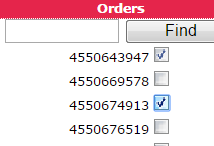
You can select more orders checking a checkbox next to an order number. There are displayed all open lines of selected orders on the right side of the screen
Unchecking an order disappear its lines.
of ordered quantity, eventual not in the limit of order's closure (generally 90%). It means there are orders
with printed labels until goods receipt in our plant.
Therefore unused labels (non-registered with goods receipt on our side) are not taken in the accound which means
new ones can be created once again.
You can select more orders checking a checkbox next to an order number. There are displayed all open lines of selected orders on the right side of the screen
Unchecking an order disappear its lines.
Find an order
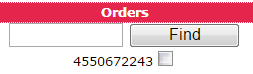
Type partial / whole order number and confirmation by "ENTER" or button "Find":
-
in case the only one order match a searching term it is checked and lines are loaded
-
after ambiguous search the first matched order is focused
Dispatched quantity / Number of labels
.
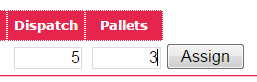
Complete fields for each shipped order line:
Dispatch:
Dispatched quantity on pallet unit
Pallets:
Number of requested labels (packing units)
Assign
Pusshing "Assign" button batch lines (packing units) are displayed with:
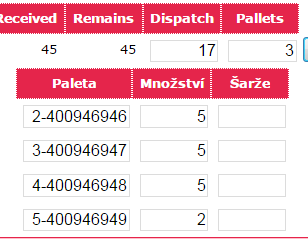
In case decimals are not supposed for an unit of measure (PCS, PAIR, …), calculated quantity (Expedition / Pallets) rounds to integer
and the remainder is loaded to a new pallet. It means the total number of palets will be one unit higher than it was assigned to field "Pallets"
- generated pallet number
- calculated quantity (Expedition / Pallets). Field value can be changed manually.
- empty (vendor) batch number field. Complete this field in case you dispatch batched material …
In case decimals are not supposed for an unit of measure (PCS, PAIR, …), calculated quantity (Expedition / Pallets) rounds to integer
and the remainder is loaded to a new pallet. It means the total number of palets will be one unit higher than it was assigned to field "Pallets"
Create / Print labels
.
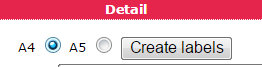
A4:
Paper size A4 - 2 labels per page.
A5:
Paper size A5 - 1 label per page.
Create labels:
"Create labels" button generate labels for all order lines with an assigned pallet number.
The labels are created in PDF format. The file is opened in the browser / a PDF viewer according the personal settings.
Label includes following data:
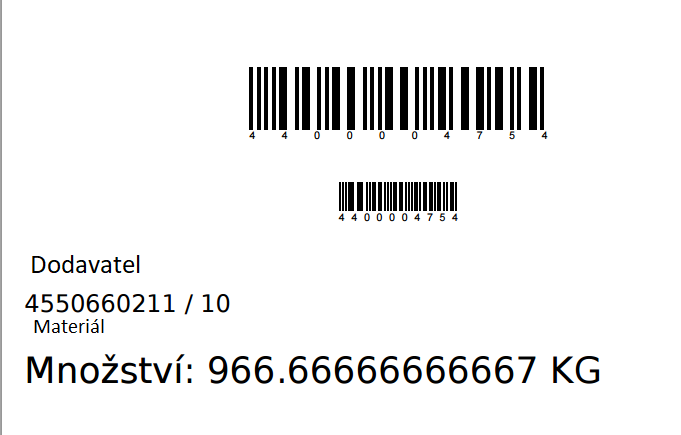
The labels are created in PDF format. The file is opened in the browser / a PDF viewer according the personal settings.
Label includes following data:
- bar code with assigned pallet number
- supplier ID and name
- order number and order line
- material ID and description
- dispatched pallet quantity